
How to use Sayho
Follow the numbers on the photos.
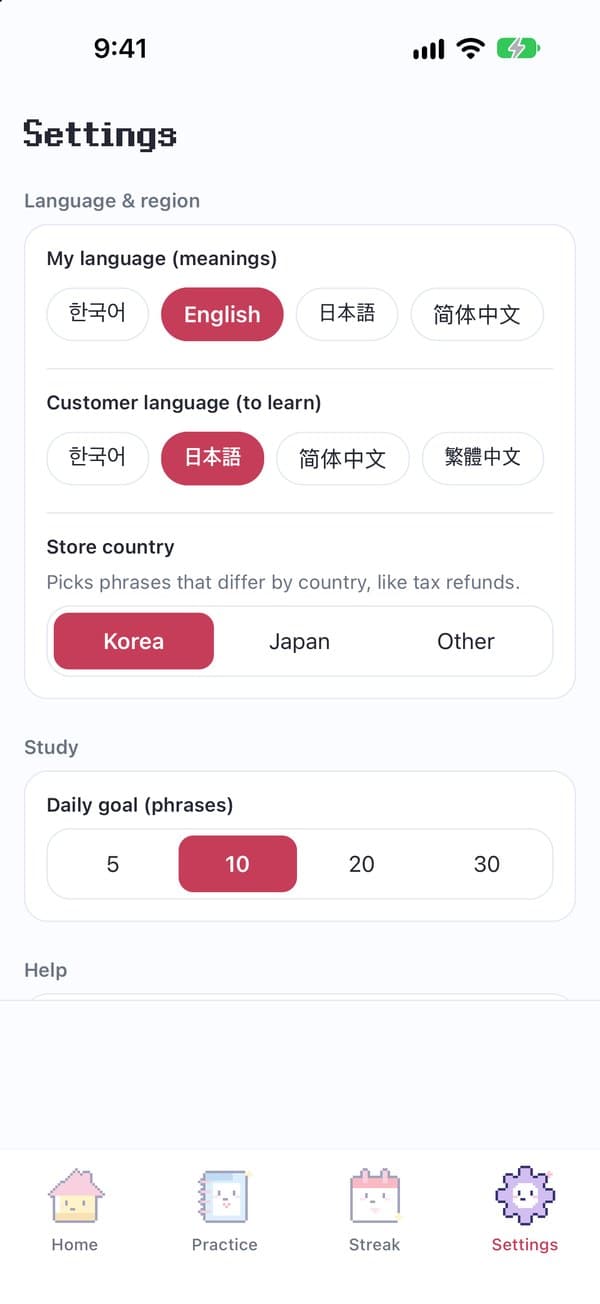
 1. Pick your languages
[Settings] tab
 123
- 1My language — The language of the meanings
- 2Customer language — The language to learn and play aloud
- 3Store country — Shows tax-refund phrases for your country
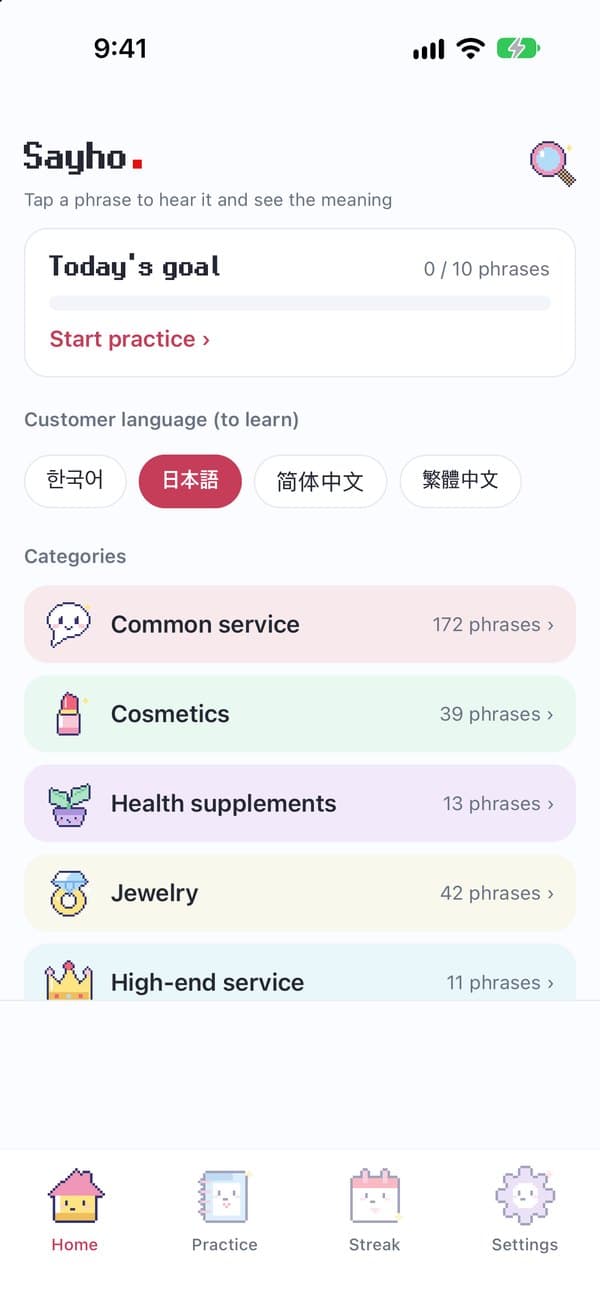
2. Find a phrase
[Home] tab
 12
- 1Category — Tap to see phrases by situation
- 2Search — Type a word in any language
3. Search for a phrase
[Home] tab▶Magnifier at the top right▶Type a word▶Tap a phrase card
- ★ Type in any language — it searches every language at once
- ★ Try: “refund” · “환급” · “免税”
- ★ Results work like phrase cards (meaning · voice · star · show customer)
4. Use a phrase
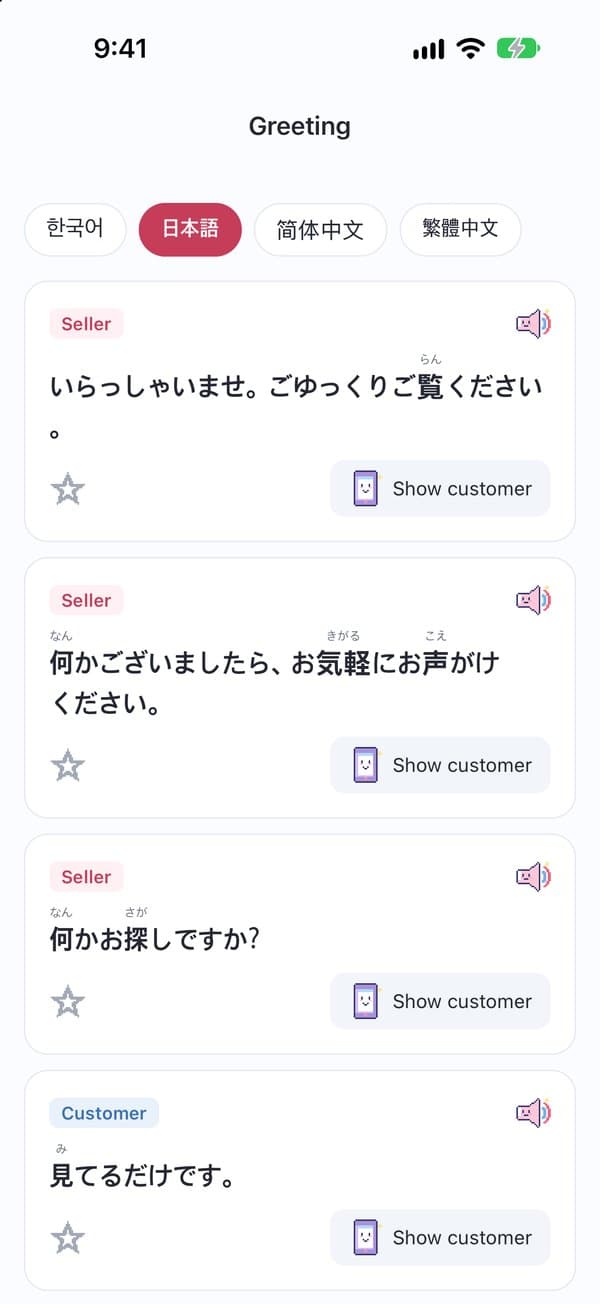
Category → situation
 1234
- 1Foreign phrase — Tap to show the meaning
- 2Speaker — Tap to hear the phrase
- 3Star — Save it to practice later
- 4Show customer — Big-text screen
- ★ Tap the meaning to hear it in your language
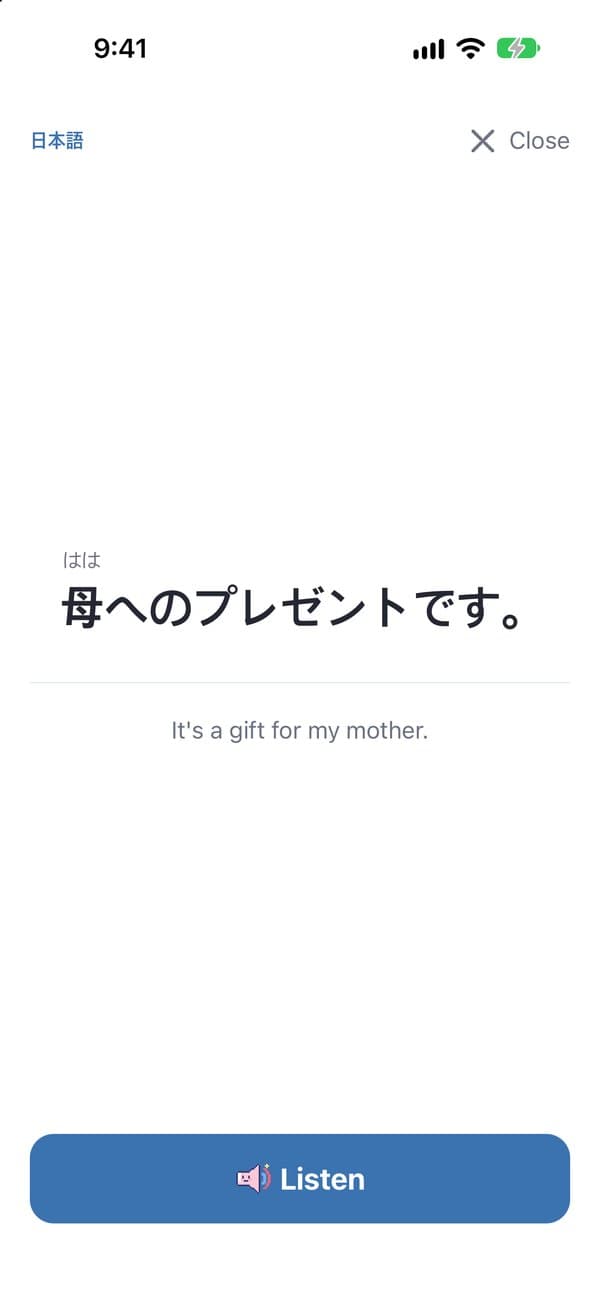
5. Show the customer
Phrase card → [Show customer]
 12
- 1Big text — Easy for the customer to read
- 2Listen — Play it aloud for the customer
6. Practice and check-in
[Practice] · [Streak] tabs
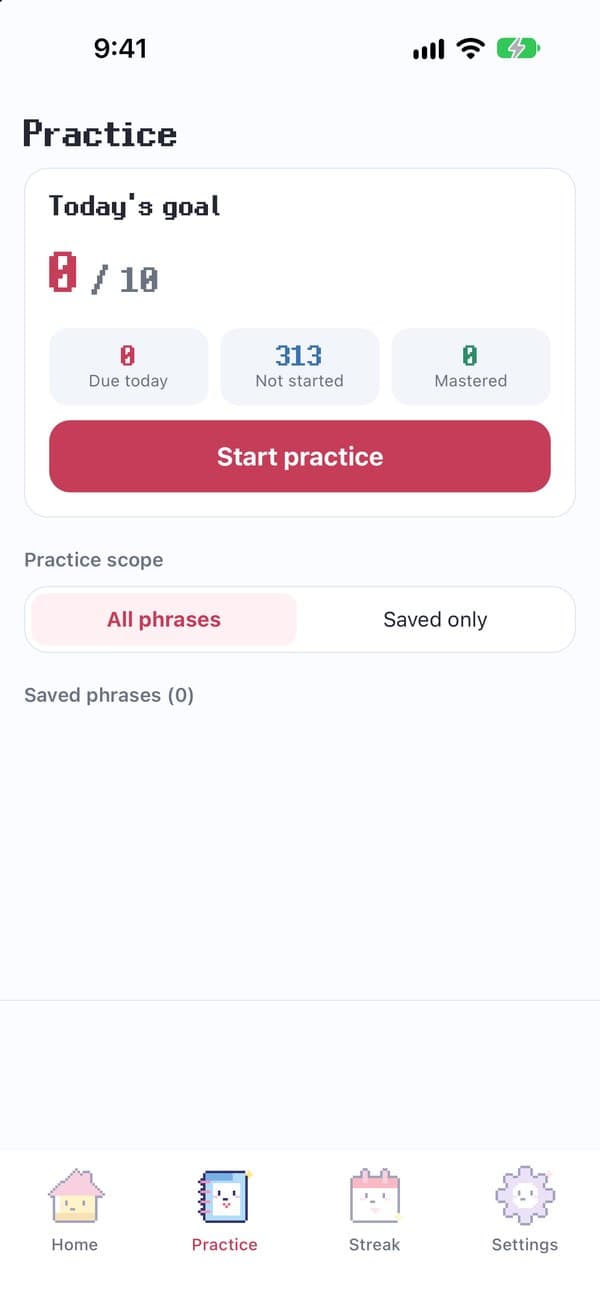 12
- 1Start practice — Starts with phrases due for review
- 2Today's goal — Change the daily goal in [Settings]
- ★ Finish a session to get today's stamp
7. Lock-screen widget
One new phrase a day on your lock screen
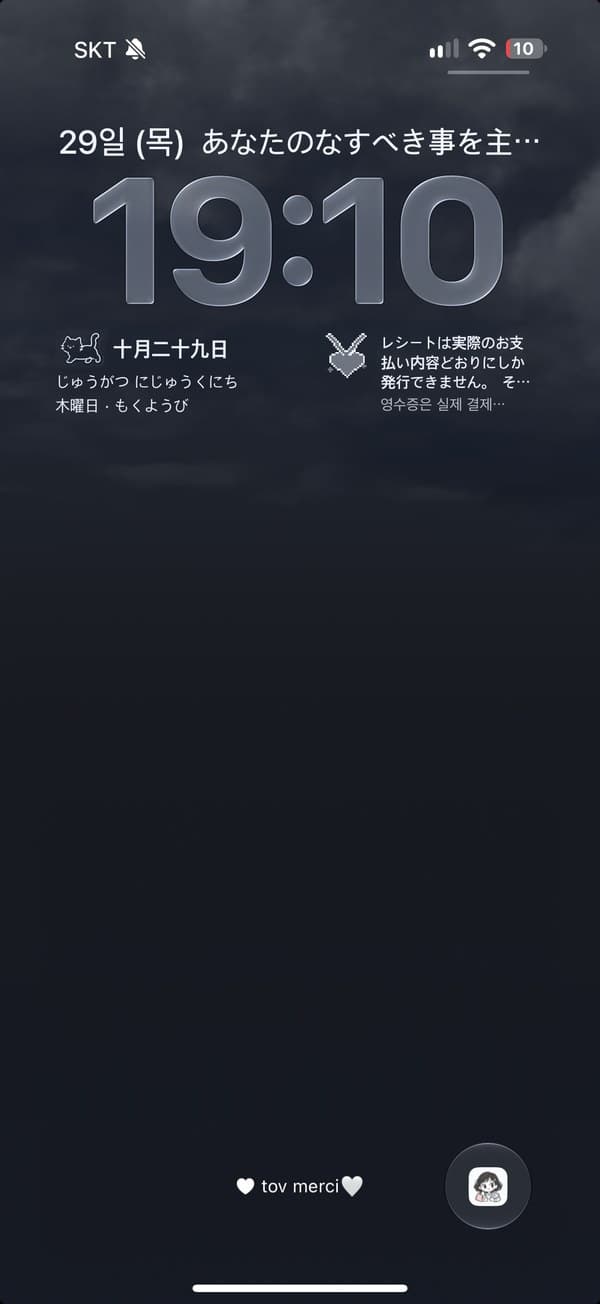 12
- 1Today's phrase — In the customer language · a new phrase and mascot every day
- 2Meaning — Translation in your language (one line)
Long-press the lock screen▶[Customize]▶The box above or below the clock▶Pick [Sayho]▶Choose a style
- ★ A pixel mascot and today's phrase change every day (in the customer language)
- ★ Tap the widget to open the full phrase with its translation
- ★ Phrases come from Common responses, without repeats
- ★ Open the app now and then to keep it supplied with new phrases
8. Get more natural voices
iPhone Settings▶Accessibility▶Read & Speak▶Voices▶Pick a language▶Download Premium or Enhanced
- ★ Fully close and reopen the app afterwards
- ★ Wi-Fi recommended
9. Ideas and problems
[Settings]▶[Contact us]▶Send feedback · KakaoTalk · LINE
- ★ We read every message
Questions? Send them from the app: [Settings] → [Contact us].